

Workflow principles
This page explains what a workflow is in the Elasticr system: the mechanism that drives the lifecycle of records — orders, warehouse documents, shipments and more — using states and state changes with attached application logic.
About the feature
Every important record in the system (for example an order or a goods receipt) moves between states over time: from creation through processing to closing or cancellation. A workflow defines which states a record can have, which state changes are allowed, and what happens on every state change — which checks run and which follow-up steps the system performs (e.g. generating a document, sending an e-mail, a stock movement).
A workflow consists of three building blocks:
- States (in Czech for now) — named phases of a record's lifecycle (e.g. "New", "In progress", "Closed"). Each state belongs to a category that tells the system what the state means.
- State changes (transitions) (in Czech for now) — the allowed paths between states. A transition defines where a record can move from and to, and with what priority.
- Handlers (in Czech for now) — the logic attached to transitions: conditions (when a state change is offered at all), validations (checks that must pass), actions (what happens after the state change) and error actions (compensation when actions fail).
This means the system's behavior can be tailored to a specific operation without touching the system itself — workflows are configured directly in the administration.
Which records have a workflow
A workflow is always defined for one target object — the record type whose lifecycle it drives. These record types have workflows:
| Area | Record types |
|---|---|
| Orders | Order, External order |
| Warehouse | Purchase order, Delivery note, Goods receipt, Goods issue, Stock transfer, Stock taking, Production order |
| Logistics & distribution | Shipment, Shipment package, Issued delivery note, Document batch, Handover |
| Finance | Tax document |
| Service | Return, Complaint |
| Sales | Inquiry |
One record type can have multiple workflows prepared in the system — for example orders may have separate workflows for complex and shortened dispatch.
Managing workflows in the administration
Workflows are managed on three screens under a shared menu:
- Workflow definitions — the list of all workflows and the editor of their basic settings.
- States — the list and editor of all workflow states.
- Handlers — a read-only catalog of all available handlers.
Path in administration
Workflow list
The list shows all workflows in the system — the name (a link to the editor) with its code below. The Nový button creates a new workflow.
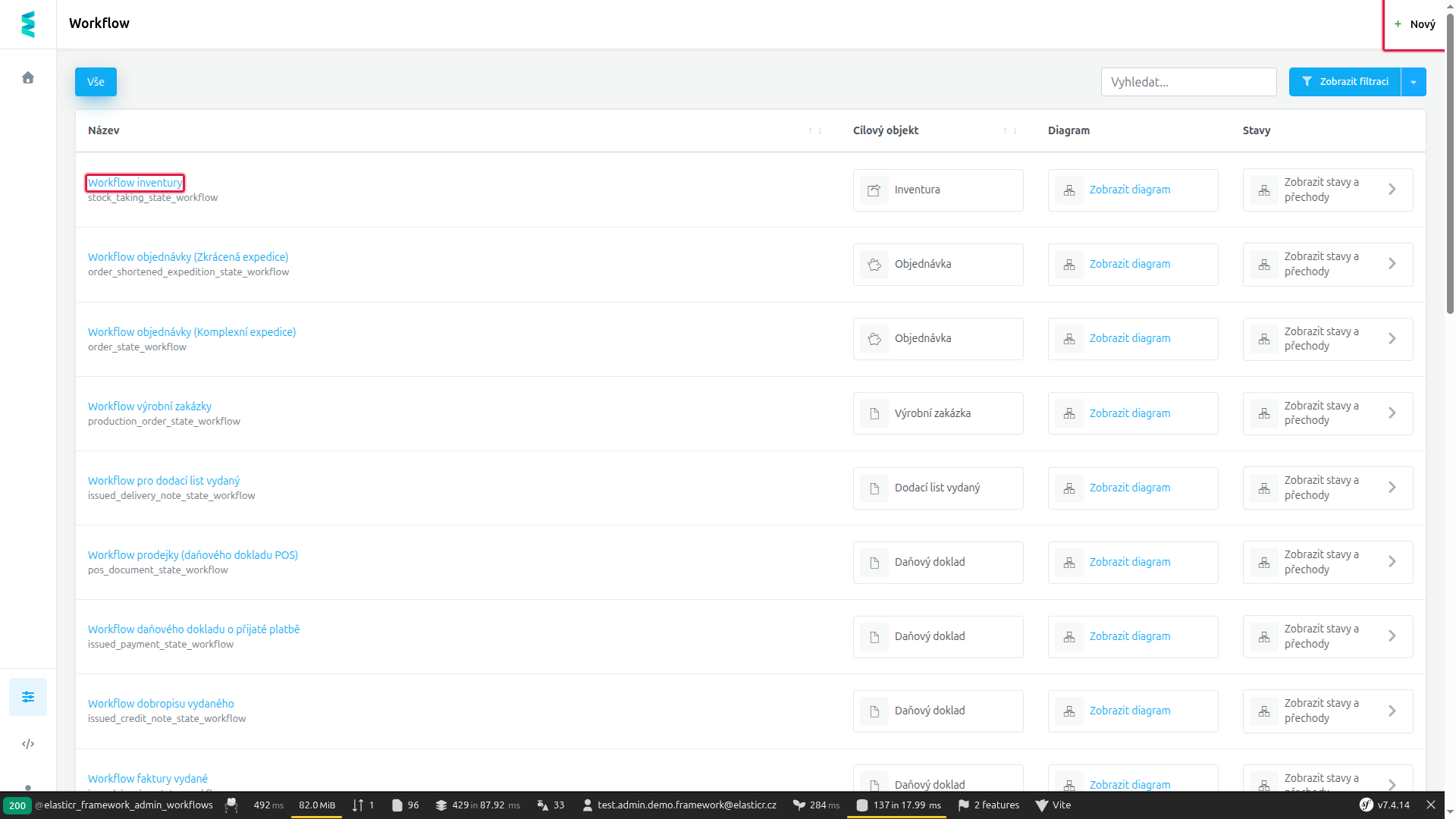 The workflow list — the name links to the editor; the Nový button sits top left. (Screenshots show the Czech administration until the platform translation is finished.)
Workflow editor
Open the editor by clicking a workflow's name. The Podrobnosti (Details) tab holds the basic settings:
- Název (Name, required) — the workflow's display name.
- Kód (Code, required) — the workflow's unique identifier.
- Cílový objekt (Target object, required) — the record type whose lifecycle this workflow drives (e.g. Order).
The top bar offers Uložit (Save), Uložit a zavřít (Save and close) and Zavřít (Close).
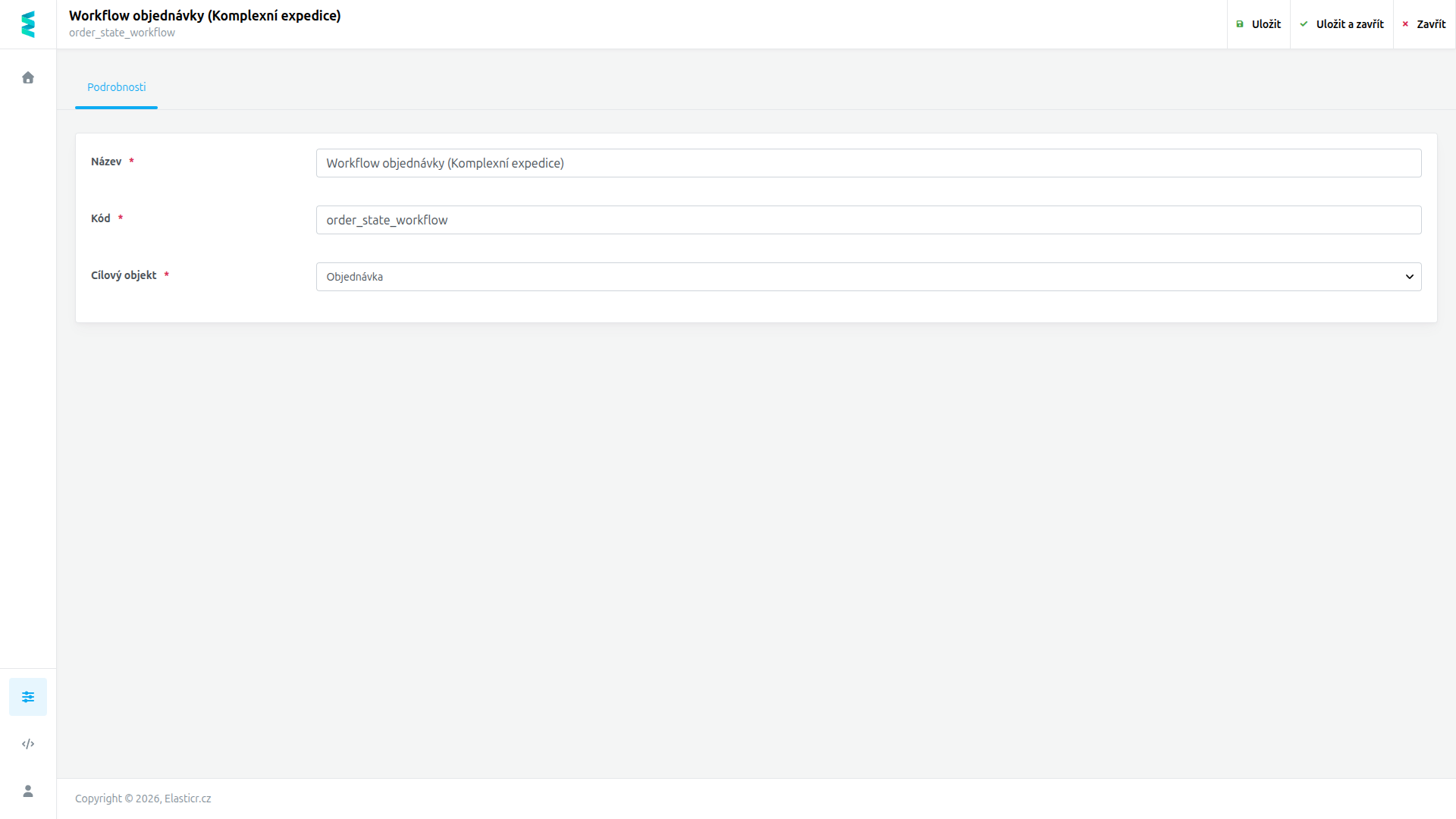 The workflow editor: basic settings on the Details tab.
Note
States and state changes are managed on the separate States screen.
FAQ
Can one record type have multiple workflows?
Yes. The system can hold several workflows for the same target object — e.g. orders can use different workflows for different dispatch modes.
What can a state change trigger?
Any combination of handlers can be attached to a state change — from checks (conditions, validations) to follow-up steps (actions: document generation, e-mails, stock operations…).
Related documentation
- States (in Czech for now)
- State changes (transitions) (in Czech for now)
- Handlers (in Czech for now)